
Team List
Every user must be assigned to a team. The team list is where existing teams can be found, edited, and where new teams can be created.
Teams
Every user must be assigned to a team (a team might be a group, a practice, a consortium, or whatever is set up). A user cannot be created without being a part of a team.
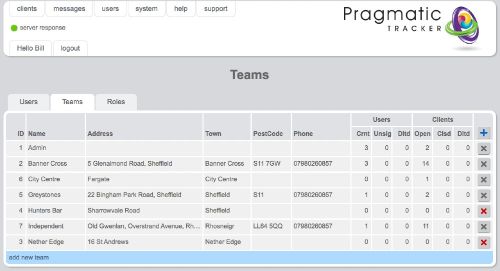
Creating a new team
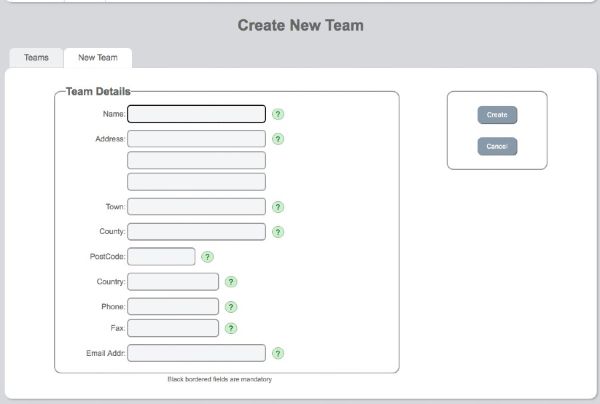
Clicking on the blue bar Add new team brings you to the Create New Team page. This is where you can create a new team. The only mandatory field is the name field but you can capture more information about the team if you wish.
Editing teams
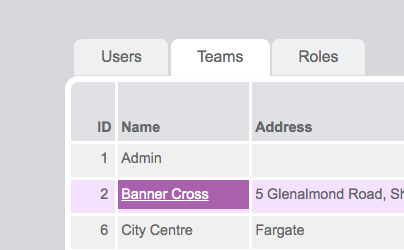
If you have the correct privileges you can add new teams to the system and make changes to existing teams. To edit a team, move your mouse over the team name to highlight it and then click on it.
.jpg)
Make whatever changes are necessary and save.
Deleting teams
Users with suitable permissions can delete teams as long as there are no clients assigned to them.
Changing team members
When a new user is created they are allocated to a team. To change that allocation you need to return to the Edit User page (go to User List and select the user) — this is where you can change the team the user is assigned to.