
Measures
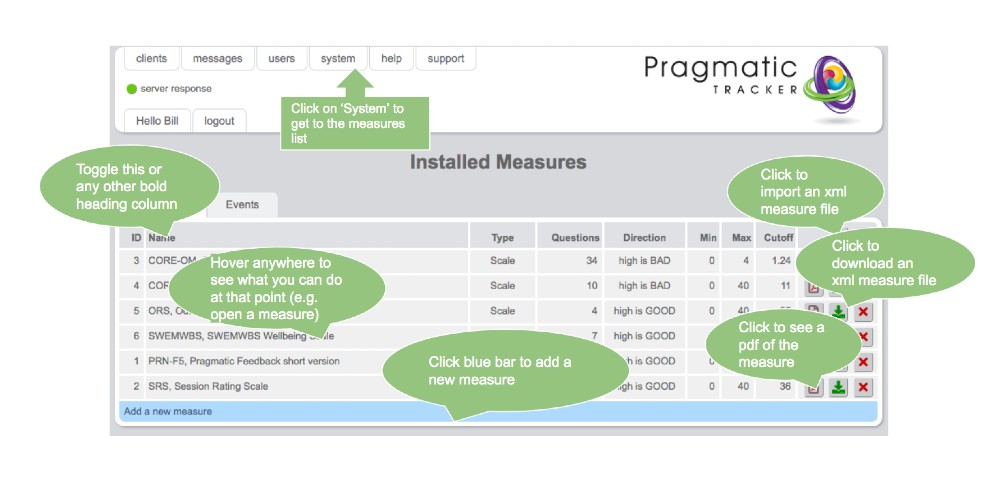
SolveFit Tracker includes a wide library of validated outcome measures. The measures list is accessed by clicking on System in the top menu.
Warning
Making changes to Measures is a serious undertaking and needs to be carried out carefully, under consultation with SolveFit Tracker support or with a sophisticated user who is well trained in this part of the system. Permission is restricted to the highest level of user (superuser) for this reason.
What you can do on the Measures page
On the Measures page you can:
- View all the measures in your system
- Open individual measures to review their structure and items
- Download measures as PDF or XML files
- Upload XML files correctly built for SolveFit Tracker
Exercising caution
Exercise great caution in this part of the system. Changes to measures affect how data is captured and reported across all clients. If you are unsure about any aspect of measure configuration, please contact SolveFit Tracker support before making changes.
Access restricted to superusers
The Measures section is only accessible to users with superuser permissions. If you need access and do not have it, contact your system administrator.