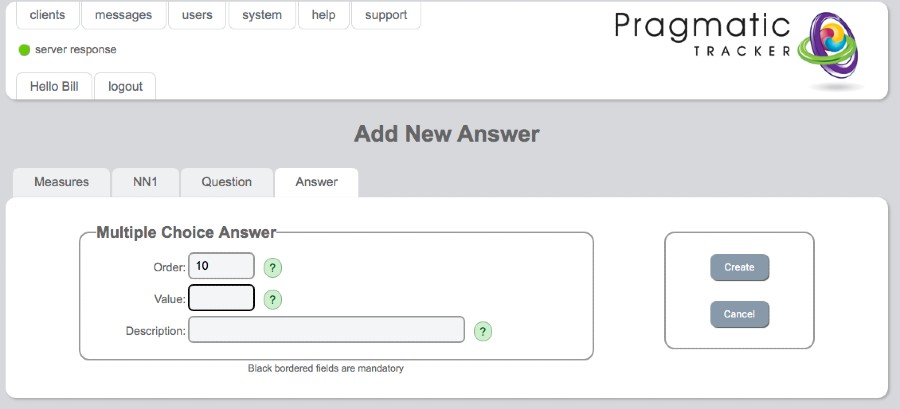
Add / Edit Question
When building a new measure, this is the area where new questions (items) are added to the measure.
Warning
Building new measures, creating questions and answer sets, and managing cut-offs are all quite challenging tasks and need to be carefully managed. Making changes to measures is a serious undertaking and needs to be carried out very carefully under consultation with and with the support of SolveFit Tracker or with a sophisticated user well trained in this part of the system. Permission is restricted to the highest level of user, the superuser.
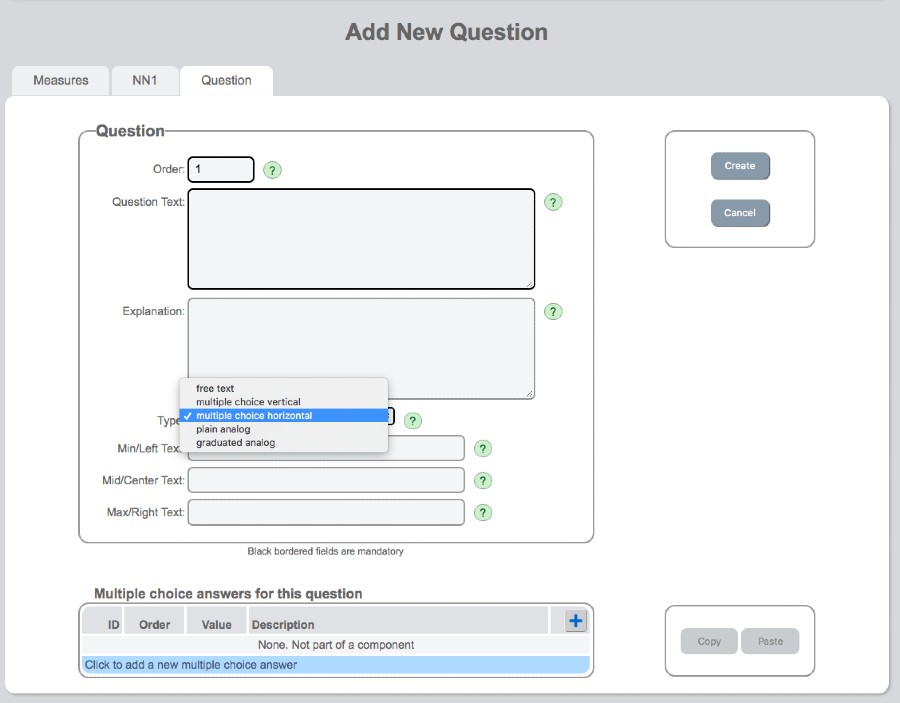
Add new question
When building a new measure this is the area where new questions are added.
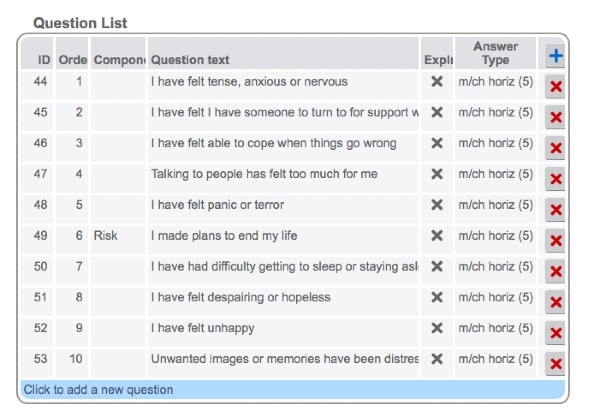
Example question list
Below is a completed question set for the CORE-10 measure:
Answer types
When a question is created it needs to have an answer. This may be a multiple-choice as in the example below:
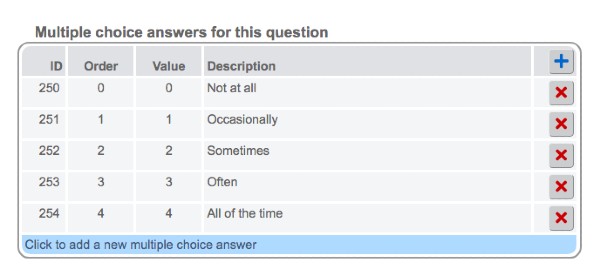
There are several choices in types of answer response:
- Graduated horizontal
- Unmarked horizontal
- Multiple-choice
- Vertically orientated
- Horizontally orientated
- Free-text
To understand the process better, look at existing measures already built to see how different answers have been constructed.