
Overview — What is SolveFit Tracker?
SolveFit Tracker is a web-based outcome tracking tool for tracking change with clients in mental health treatment — simple, secure, and built for practitioners.
Why you might need it
SolveFit Tracker helps you track client progress in mental health treatment, recovery, or any situation where change can be measured through questionnaires. Whether you work with individuals, groups, or entire organisations, you need a reliable way to demonstrate that treatment is working — for your clients, for commissioners, and for your own clinical governance.
What you can measure
SolveFit Tracker gives you access to a wide range of well-established outcome measures commonly used in mental health treatment — from disorder-specific questionnaires (anxiety, depression, trauma) to broader wellbeing tools. Measures can be administered directly in session or sent securely to clients to complete remotely.
What else is there?
- A Goals-based outcome tool so clients can set and track their own priorities in their own language
- A Problems tracking tool to monitor the specific issues clients bring to treatment
- Appointment reminders by email or text message
- Progress charts that can be shared securely with clients, with pin-protected access
- Reporting and data extraction for clinical governance and research
Easy to use
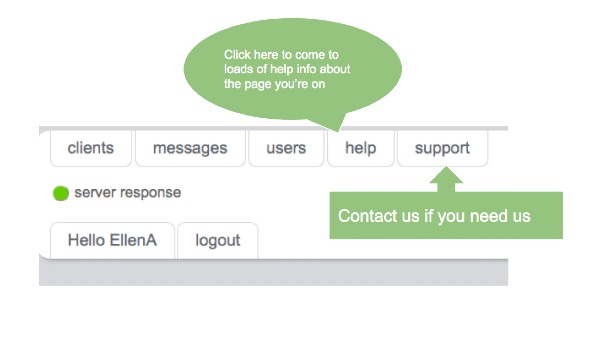
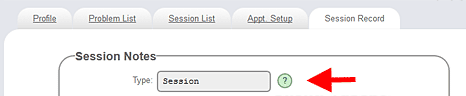
Help is available throughout the application. Every page has a help button in the top banner — press it to learn what the page is for and how to use its features. Each form field also has a small help button that opens a popup explaining what to enter. Support is always available at the click of a button.
Help in SolveFit Tracker (40 secs)
Ideal for remote working
SolveFit Tracker is designed with remote, online, and telephone-based practice in mind. Clients can be sent secure email links to complete measures in their own time. Progress charts can be shared via pin-protected links, giving clients meaningful visibility of their own journey through treatment.
Single-user and bespoke systems
Standard single-user systems offer an array of features for individual practitioners. Bespoke systems can be designed to the exact way you work — with custom measures, custom session types, custom traffic light thresholds, and tailored reporting. Please contact us to discuss your requirements.
Online help
Online help comes in two forms:
Page help
Press the help button in the top banner of any page. Tells you what the page is for and how to use its features.
Item help
A small help button appears next to each form field. Opens a popup explaining what to enter in that field.
Server Response indicator
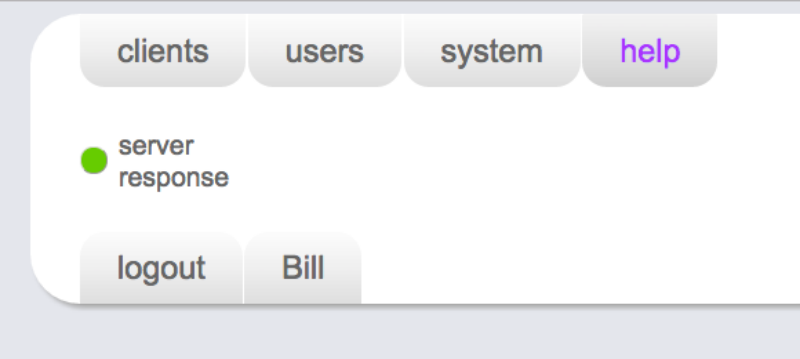
SolveFit Tracker includes a feature to monitor server response — the time for signals to travel between the software and servers. This should usually be green. It may flicker momentarily when navigating between pages, which is normal.
The server response indicator explained (40 secs)