
Messages
The message feature within SolveFit Tracker allows internal messages to be sent securely by all user types with permission to do so.
The secure internal messaging system (50 secs)
Accessing your messages
When a user logs in and chooses Messages from the menu, they are taken to the messages list where all their messages appear. The list shows the sender, subject, and date of each message at a glance.
Reading a message
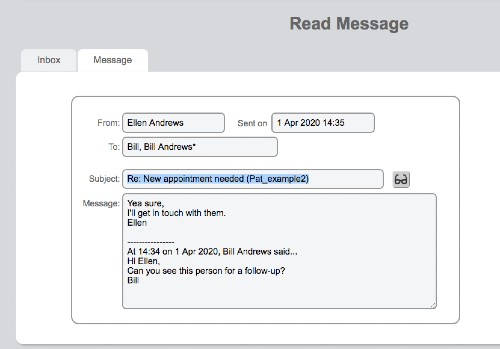
Clicking on a subject opens the full message. From there it can be read and closed, or replied to. Messages are stored securely within SolveFit Tracker and are not sent to external email systems.
Replying to a message
To reply, type your response in the Message window and click Send. The reply is threaded with the original message, keeping your correspondence organised and easy to follow.
Naming a client in the message subject
When a practitioner writes to another practitioner about a particular client, the history of the correspondence is automatically copied through to the bottom of the summary page of that client. This keeps client-related communications linked to the relevant client record, making it easy to review the full picture without searching through your message list.
Note
Messages are internal to SolveFit Tracker. They are not delivered to external email inboxes. All messages are covered by the same security and access controls as the rest of the system.