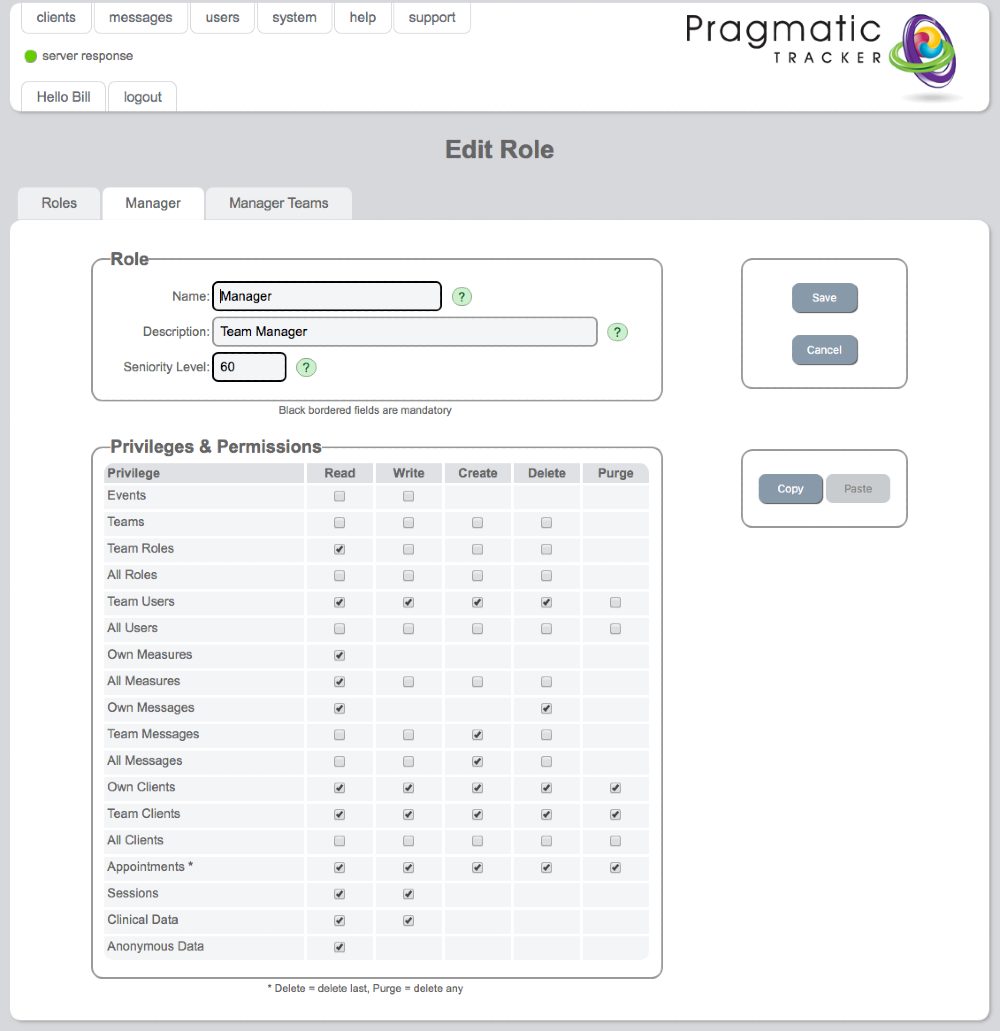
Edit Role
The Edit Role page is where changes to an existing user role's permissions are made.
Warning
Making changes to User Roles is a serious undertaking and needs to be carried out very carefully under consultation with and with the support of SolveFit Tracker or with a sophisticated user who is well trained in this part of the system. Permission is restricted to the highest level of user, the superuser.
Editing a user role
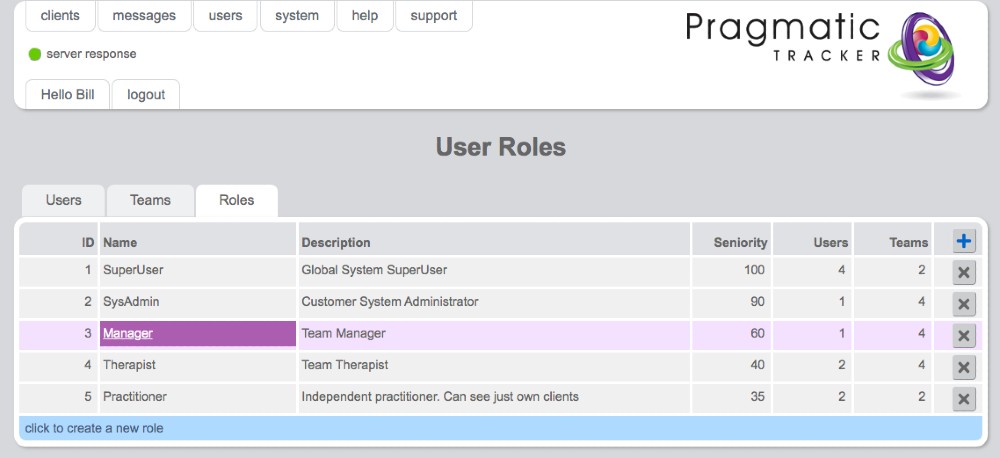
To edit a user role, highlight the role name and click on it from the User Roles list. This will bring you to the Edit Role page where changes can be made.
Example: Manager role
Below you can see the pre-configured structure of the roles permitted at manager level.
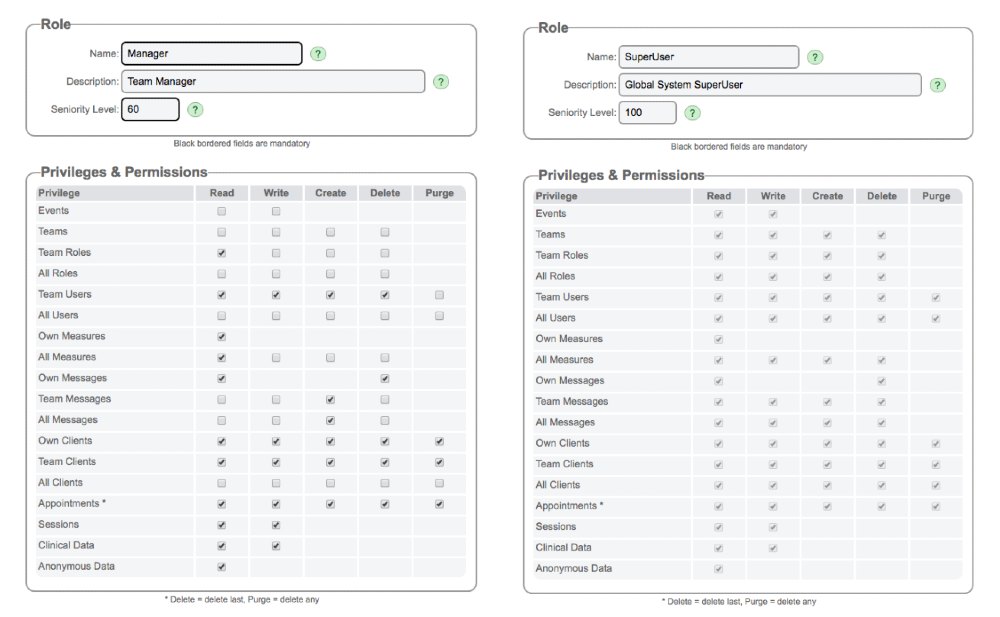
Comparing permission structures
Below, two different permissions structures are displayed to demonstrate the contrast between them. Any editing of roles must be handled very carefully.