
User Roles
Within teams, users play different roles. SolveFit Tracker comes with a set of standard roles but bespoke systems can create their own roles with different permission structures.
Overview
Within teams users play different roles. For example, a manager can see all other users and their clients in their team, while a superuser can see all users and their clients in all teams.
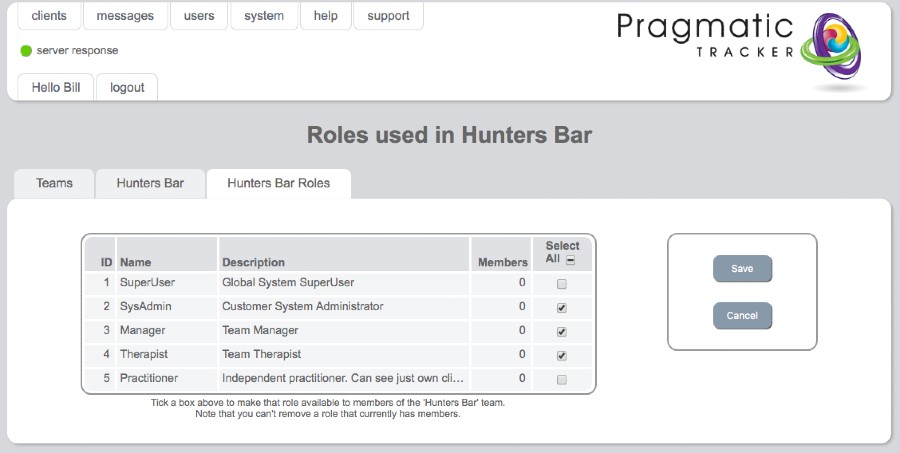
Editing a user role
To edit a user role, highlight the role name and click. This will bring you to the Edit Role page where changes can be made.
Warning
Making changes to User Roles is a serious undertaking and needs to be carried out very carefully under consultation with and with the support of SolveFit Tracker or with a sophisticated user who is well trained in this part of the system. Permission is restricted to the highest level of user, the superuser.
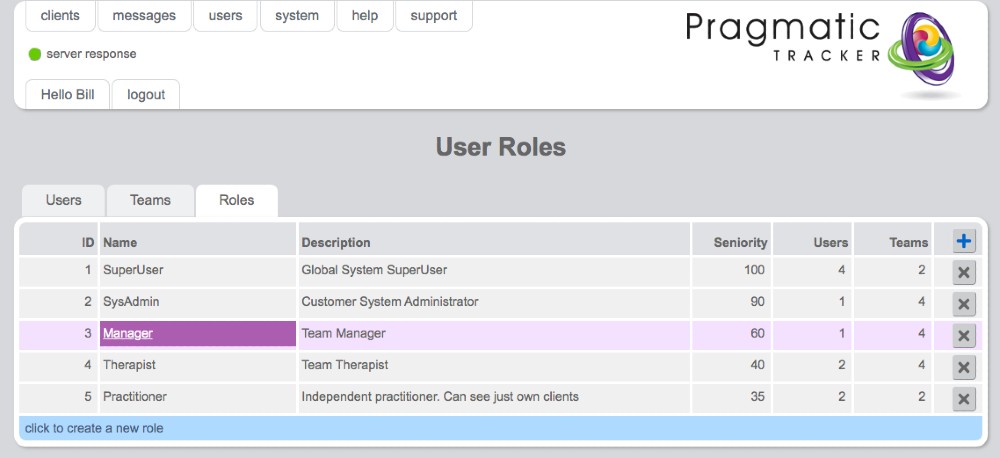
Standard roles in SolveFit Tracker
Superuser
A user with maximum permissions — can do everything that's possible within the system.
System Administrator
System administrators can be thought of as Managers with system-wide responsibilities. As well as adding clients and new teams they can add practitioners, therapists, managers, and other system administrators to the system. They cannot add, edit, or delete roles and have no access to the measures area or the events log.
Manager
A user with team-wide privileges to create, edit and delete users and clients. Cannot access other teams, can edit only their own team, cannot access or edit roles, and has no access to the measures area or the events log.
Therapist
A user who can share their clients with other users, can see the other members of their team, but cannot add or access other user profiles.
Practitioner
A user who sees just their own client list.
Custom roles
Because of the granular permissions structure, SolveFit Tracker can have other types of user created in bespoke customised systems in order to achieve the creation of new roles appropriate within your organisation. Please discuss this during your installation survey.