
Create New Role
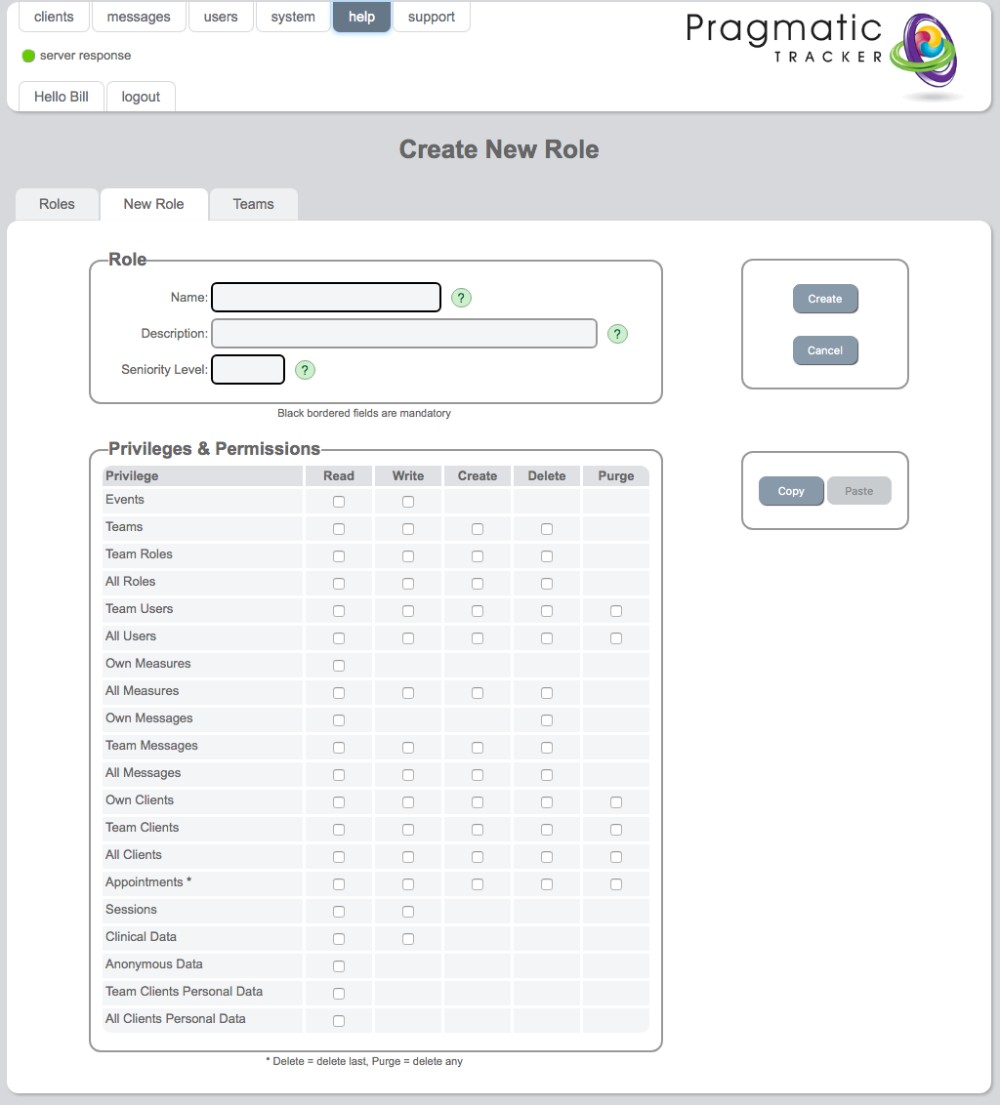
The Create New Role page is where new user roles with custom permission structures are built.
Warning
As with making changes to User Roles, creating new roles is a serious undertaking and needs to be carried out very carefully under consultation with and with the support of SolveFit Tracker or with a sophisticated user who is well trained in this part of the system. Permission is restricted to the highest level of user, the superuser.
Accessing the create role page
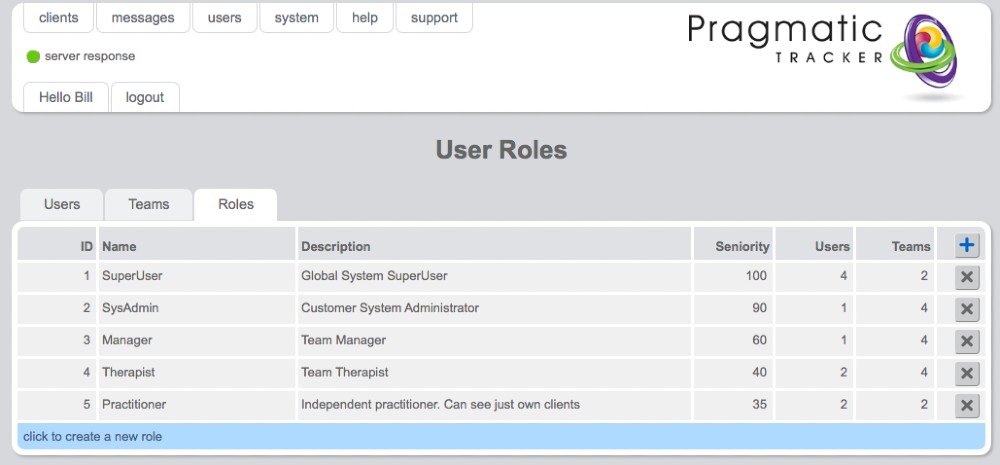
To create a new role click on the blue bar (click to create a new role) at the bottom of the User Roles list.
Mandatory fields
- Name — a new name, different to existing roles
- Seniority Level — this important consideration prevents the creation of a role that inadvertently ends up with capabilities beyond what it should have for its level of seniority
Optional fields
Description — while optional, we highly recommend filling this in for clarity around the role required. Privileges & Permissions — this is where you carefully consider exactly what the permission structure of this new role is going to be.
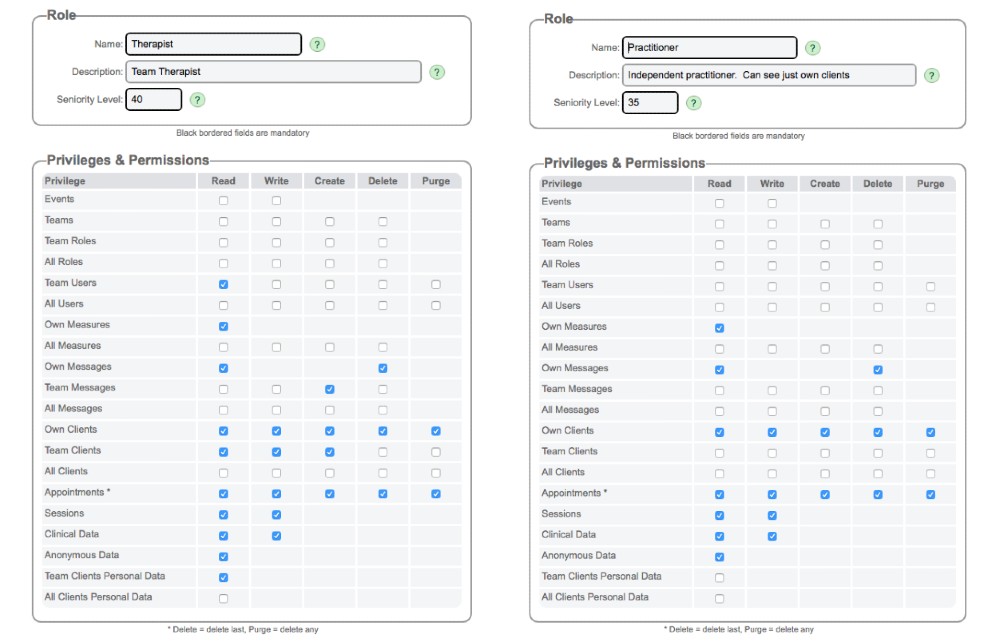
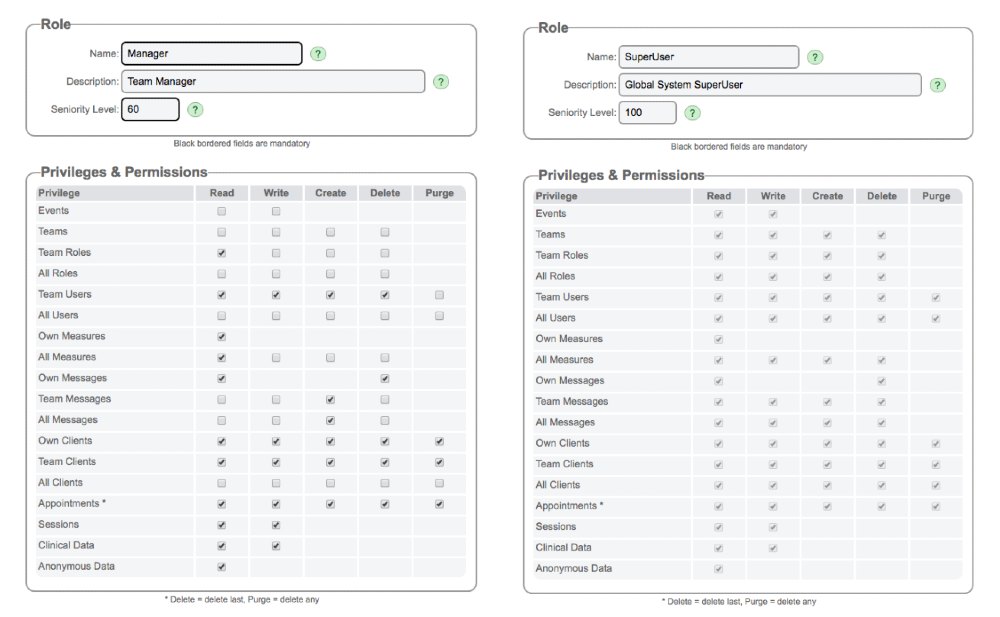
Example permission structures
Using Copy/Paste
To help with creating a new role, you can open an existing role and copy the settings and then paste them into your new role builder. Then simply make the necessary adjustments to increase or decrease the permissions structure.
Creating the role
Simply click Create when you're ready to create your new role. Remember to then test it and come back to edit it if you need to make any changes. Once created, new roles need to be carefully tested to ensure they are doing what's expected.
Role descriptions
Practitioners
Independent — see only their own clients. Can add clients, soft-delete clients, add, edit and delete sessions, and see all data related to any of their own case-load. They have restricted access to most of the 'behind the scenes' aspects of SolveFit Tracker.
Therapists
The same permissions structure as practitioners but can see the data of other clients in their group or practice.
Managers
The same abilities as practitioners and therapists but, in addition, have supervisory responsibility for the practitioners in their team. They can add new users to the system and promote practitioners to manager status, assign and re-assign clients, and treat any client in their team.
Superusers
Unrestricted access to the entire system, including the measures storage and allocation area, the measure builder, and the events log.