
Session List
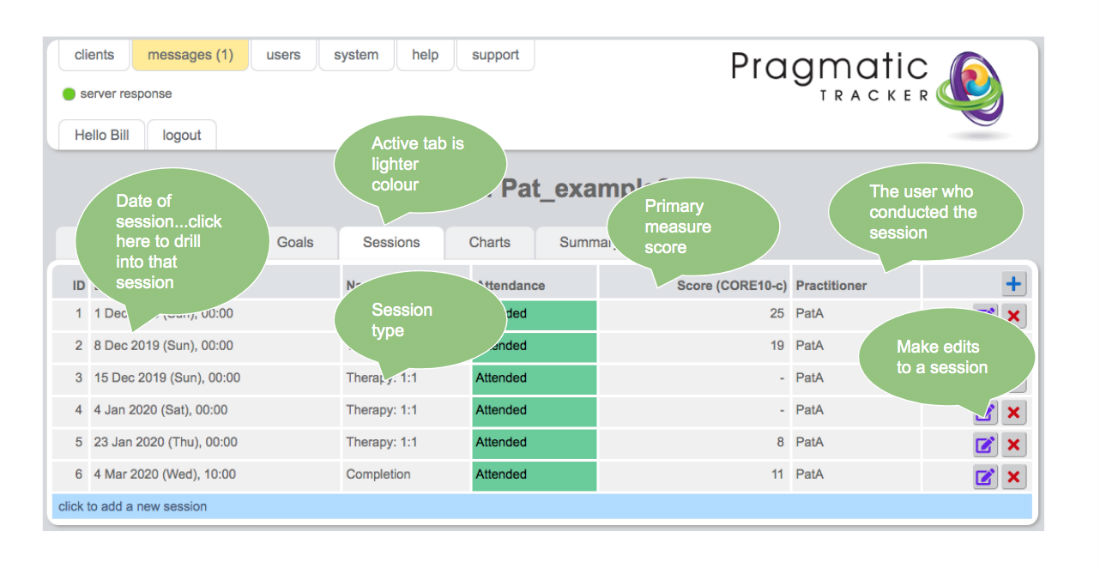
The session list is the home page for any particular client and provides the gateway to all captured data for that client.
Overview
The list itself provides useful information about data and type of appointments, whether the appointment was attended or not, the name of the treating practitioner, and the primary measure score. The other tabs just above the list allow you to navigate to all other relevant sections for the client.
Risk indicators
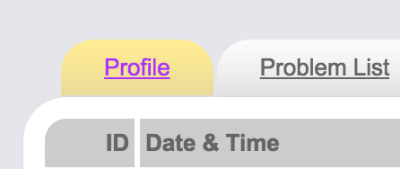
When a client is identified as being at risk by making the selection on risk on the client profile then the profile tab changes colour to match the level of risk. Also, the client is highlighted on the client list page.

Navigation tabs
All pages below link by tabs from the session list page:
- Client Profile — where details of the client can be accessed and edited
- Problem List — where client problems can be reviewed and added
- Goals List — where client goals can be reviewed and added
- Charts — where progress on all measures used can be reviewed
- Summary — where all pertinent information for the client can be accessed and downloaded
Adding a new session
To add a new appointment, click the blue bar or the + sign at the top of the session list. This opens the appointment form.