
Client List
When you log in SolveFit Tracker shows you your client dashboard — a list of your clients and their current treatment status.
Your client dashboard
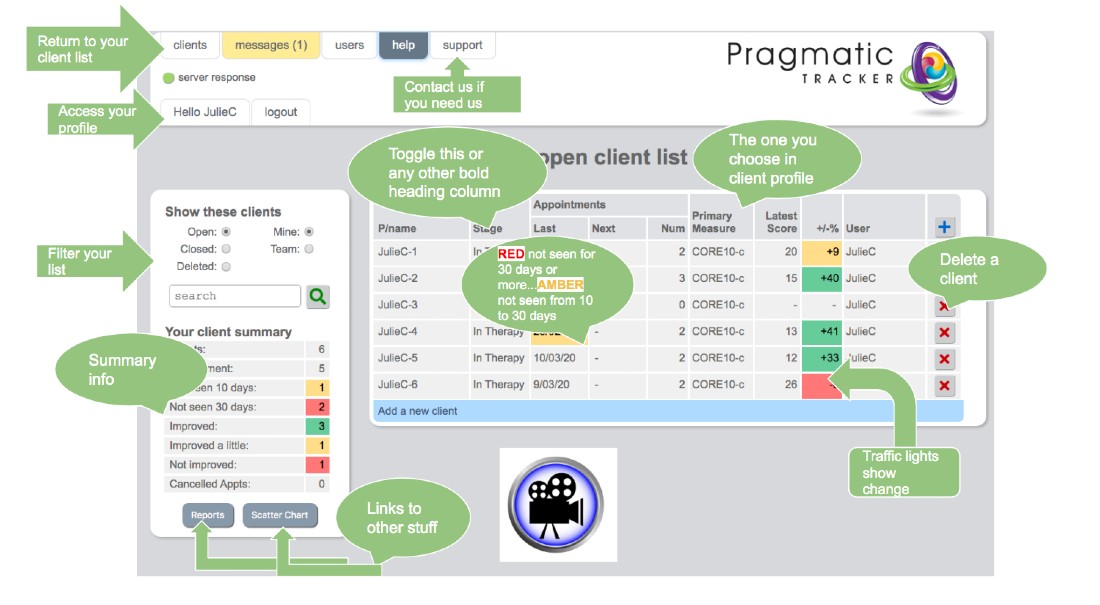
The client list is the home page you see when you log in. It gives you an at-a-glance overview of your entire caseload, showing each client's current treatment status and primary measure score.
What you can see and do
- View all your open and recently active clients
- See each client's primary measure score at a glance
- Identify clients flagged at risk (highlighted in the relevant risk colour)
- Add a new client by clicking the blue bar or the + button
- Access a client's full record by clicking their name
- Filter and sort the list using column headings
Risk indicators
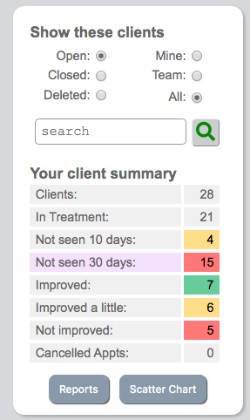
When a client is identified as being at risk on their profile, the Profile tab changes colour to match the risk level and the client is highlighted on the client list page.

Summary panel and scatter chart
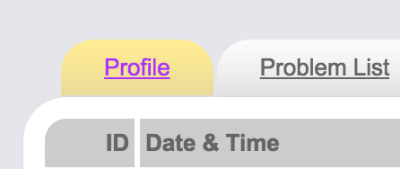
To the left of the client list a summary panel provides key statistics about your caseload. At the bottom of this panel you can access the scatter chart for an overview of how all your clients are progressing.
Tabs from the client list
From the client list you can navigate to the session list, client profile, problems, goals, charts and summary for any individual client using the tabs at the top of each client page.