
Problem Form
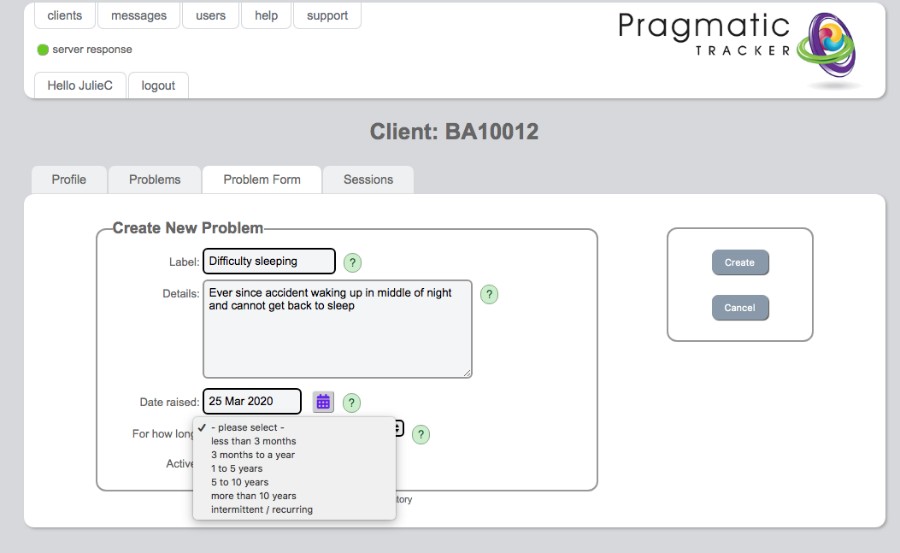
The problem form is where you add or edit a client's individual problems, capturing the label, detail, and duration.
Adding a new problem
Here you may add or edit a problem, asking the client for an appropriate label and capturing more detail if you wish. The length of time the problem has been an issue is chosen from the drop-down menu.
Tip
Remember to tick 'problems' on the appointment form for any session you wish to record problems in. You can also tick 'problems' in Profile so that it is always ticked by default in every session.
Important: Matching dates
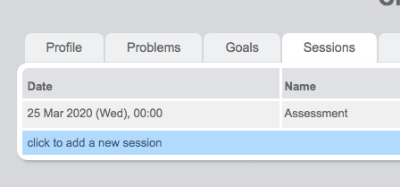
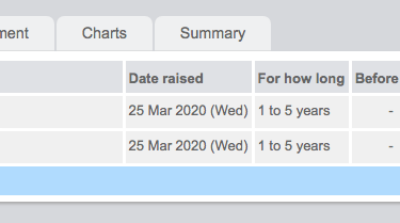
The date a problem is raised MUST be the SAME as the date of the session it's raised in. Otherwise it will NOT appear on the session form.
Matching problem and session dates
.jpg)
Common issues with Problems
You must make sure that you have selected 'Problems' for any particular session you want to record their scores in:
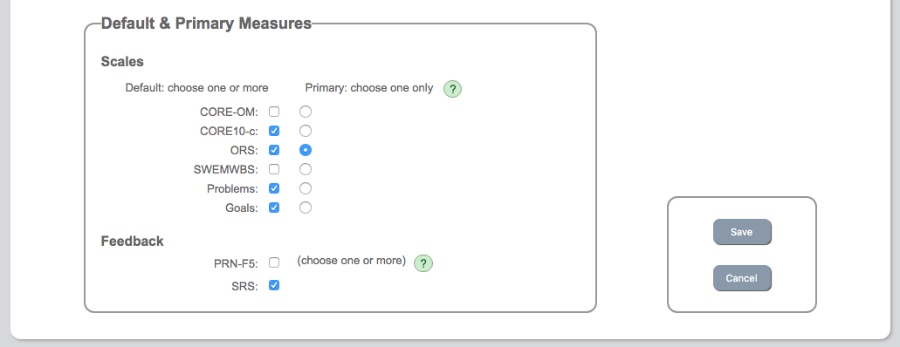
AND you MUST make sure that the date the problem is raised matches the date of the session.
Using the client's own words
Remember that you are, in effect, building a new 'measure' labelled 'Problems' for your client. Each 'problem' raised becomes an item in the measure. Whatever you write as the problem label and problem details is what will be seen by your client when they next score the problem item. The words should be the client's words and the detail should be in the 1st person.